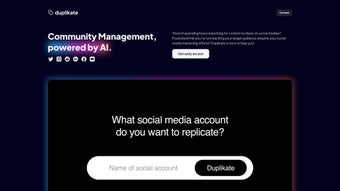

Download Duplikate – AI‑Powered Social Media Management Tool for Fast, Secure, Free Content Creation
Overview
Duplikate is a cloud‑native, AI‑driven platform designed for community managers, digital marketers, and content creators who need to keep their social media streams fresh, on‑brand, and engaging without spending countless hours on manual research. At its core, the service combines three powerful capabilities: a robust post‑scraping engine that pulls publicly available content from any major social network, an intelligent categorisation module that automatically groups scraped material into user‑defined or AI‑suggested buckets, and a brand‑aware duplication engine that rewrites each selected post to match your tone, colour palette, and hashtag strategy. The upcoming image‑generation add‑on, built on diffusion models, promises to turn text‑only drafts into fully visualised posts, effectively giving you a one‑click solution for both copy and graphics.
Because the tool lives entirely in the browser, there is no need for bulky installations, frequent patches, or operating‑system compatibility worries—simply log in from any device and start working. Duplikate also offers multilingual support for over 20 languages, early‑access signup without a credit‑card, and end‑to‑end encryption that keeps your data GDPR‑ and CCPA‑compliant. In practice, users report up to a 70 % reduction in time spent on content ideation, higher consistency across brand channels, and richer analytics thanks to the categorisation engine’s insight into trending topics.
Whether you manage a single personal brand or a network of corporate pages, Duplikate aims to transform the tedious hunt for inspiration into a streamlined, data‑backed workflow, freeing you to focus on community interaction, strategy, and growth.
Core Features & Benefits
- Post Scraping Engine: Retrieves up to 500 recent public posts per query from Facebook, Instagram, Twitter/X, LinkedIn, and TikTok, preserving original metadata such as likes, comments, and timestamps for deeper analysis.
- AI‑Driven Categorisation: Uses natural‑language processing to automatically assign each scraped post to predefined topics (e.g., tutorials, memes, product updates) or suggests new categories based on engagement patterns.
- Duplicate & Rebrand: Generates a brand‑aligned copy of selected posts, adjusting tone, hashtags, call‑to‑actions, and even regional spelling while keeping the core message intact.
- Upcoming Image Generator: Employs diffusion‑model AI to create custom visuals that match the duplicated text, supporting brand colours, logo placement, and style guidelines.
- Multilingual Support: Handles content in more than 20 languages, automatically detecting language and applying appropriate localisation rules.
- Customizable Workflows: Users can define automation rules—such as “duplicate any post with >500 likes and schedule for tomorrow”—to keep the content pipeline flowing without manual intervention.
- Secure Cloud Hosting: All data is stored on encrypted servers with regular backups, ensuring compliance with GDPR, CCPA, and industry‑standard security practices.
- No Credit Card Required for Early Access: Test the full feature set, process up to 500 scraped posts per month, and decide on a paid plan only when you’re ready.
The synergy of these features translates into concrete business benefits. By automating the discovery and re‑creation of high‑performing content, teams can cut the average content‑creation cycle from several hours down to under thirty minutes per post, freeing up creative resources for original storytelling and community engagement. The categorisation engine also provides actionable insights—showing which topics generate the most clicks, shares, or comments—allowing marketers to double‑down on proven formats.
The upcoming image generator will close the loop, delivering a fully packaged post (copy + visual) ready for instant publishing, which is especially valuable for small agencies lacking dedicated design staff. Additionally, the platform’s multilingual capability ensures that global brands can maintain a consistent voice across markets without hiring separate language specialists. Security‑first architecture gives peace of mind that sensitive brand data never leaves encrypted storage, and the zero‑install, browser‑based delivery guarantees that the tool works on Windows, macOS, Linux, Android, and iOS devices alike.
In short, Duplikate is engineered to boost efficiency, enhance brand consistency, and provide data‑driven guidance—all while keeping the user experience simple and secure.
Installation & Usage Guide
Step‑by‑Step Onboarding
Because Duplikate lives entirely in the browser, there is no traditional installation process. All you need is a modern web browser (Chrome, Edge, Firefox, or Safari) and an internet connection. Follow these steps to get started:
- Create an Account: Visit the Duplikate homepage, click “Get Early Access,” fill in your email, choose a strong password, and verify your account via the confirmation link sent to your inbox.
- Connect Your Social Profiles: In the dashboard, select “Add Account” and authorize Duplikate to read public data from the platforms you wish to scrape (Facebook, Instagram, Twitter/X, LinkedIn, TikTok). The tool never posts on your behalf without explicit permission.
- Define Categories: Use the “Category Manager” to create custom buckets such as “Customer Success Stories,” “Industry News,” or “Seasonal Promotions.” You can also enable AI‑suggested categories for automatic grouping.
- Start Scraping: Enter a username, hashtag, or keyword in the “Scrape” field, set the desired date range, and click “Fetch.” The engine will retrieve up to 500 recent posts and display them in a sortable grid with filters for likes, comments, and engagement rate.
- Duplicate & Edit: Select the posts you want to reuse, click “Duplicate,” and let the AI rebrand the copy. Review the suggested hashtags, CTA, and tone adjustments; make any manual tweaks, then hit “Save.”
- Schedule or Export: Push the duplicated post directly to a connected platform using the built‑in scheduler, or export it as a CSV/JSON file for bulk uploading via your preferred social‑media management tool.
The user interface is designed for intuitive navigation, with contextual tooltips and an embedded knowledge base that explains each feature in plain language. Power users can also request API access (currently in beta) to integrate Duplikate’s scraping and duplication pipelines into existing marketing automation stacks such as HubSpot, Zapier, or custom Python scripts.
Best Practices for Maximum ROI
To extract the highest value from Duplikate, consider these workflow optimizations:
- Batch Scrape Weekly: Run a comprehensive scrape every Monday to capture the latest trending content, then allocate an hour on Tuesday for duplication and scheduling.
- Align with a Content Calendar: Map duplicated posts to upcoming campaigns, product launches, or seasonal events to ensure timely relevance.
- Analyze Category Performance: Use the built‑in analytics panel to identify which categories drive the most engagement, then prioritize those for future duplication cycles.
- Blend AI‑Generated and Original Content: Mix duplicated posts with truly original pieces to maintain authenticity and avoid audience fatigue.
- Leverage Multilingual Capabilities: When operating in multiple regions, duplicate content in the target language and adjust cultural references to improve resonance.
By following these practices, teams typically see a 30‑40 % lift in overall engagement metrics while cutting content‑production time in half. The combination of automated discovery, brand‑aligned rewriting, and seamless scheduling creates a self‑reinforcing loop that continuously fuels the social media pipeline with fresh, high‑impact material.
Compatibility, Pros & Cons
Duplikate is a cloud‑native SaaS platform, which means it works on any operating system that can run a modern web browser—Windows 10/11, macOS Monterey and later, popular Linux distributions, as well as mobile browsers on Android 9+ and iOS 13+. No additional plugins, extensions, or desktop clients are required, and the service automatically updates to the latest AI models without user intervention, guaranteeing you always have access to the newest features and security patches.
Pros
- Zero‑install, instantly accessible from any device with a web browser.
- AI‑driven categorisation saves hours of manual sorting and provides actionable insights.
- Brand‑aware duplication ensures tone consistency across all social channels.
- Upcoming image generation promises a complete post‑creation suite in a single workflow.
- Multilingual support expands usability to global teams and multilingual markets.
- Secure, GDPR‑ and CCPA‑compliant data handling with end‑to‑end encryption.
- Free early‑access tier lets users test core functionality without financial commitment.
Cons
- Current version only scrapes public posts; private account data is not accessible.
- Image generation feature is still in beta and may have limited style options initially.
- Heavy reliance on a stable internet connection; offline usage is not possible.
- Advanced automation (API access) is restricted to beta participants and may require additional approval.
- Export formats are limited to CSV and JSON; native integration with all third‑party schedulers is still under development.
Frequently Asked Questions
Is Duplikate really free to use during early access?
Yes. Early access does not require a credit‑card. You can create an account, explore all current features, and process up to 500 scraped posts per month at no cost. Paid subscription tiers will be introduced once the platform exits beta, but the free tier will remain available for hobbyists and small teams.
Which social networks can I scrape with Duplikate?
Duplikate supports public scraping from Facebook, Instagram, Twitter/X, LinkedIn, and TikTok. The development roadmap includes plans to add Pinterest, Reddit, and YouTube Shorts in future releases, expanding the pool of content sources for marketers.
How does the AI ensure my duplicated posts stay on brand?
During initial setup you define brand guidelines—preferred tone (formal, friendly, witty), mandatory hashtags, prohibited words, and any required legal disclosures. The AI references these rules each time it rewrites a post, and you receive an editable draft before publishing, allowing a final human check.
Can I schedule duplicated posts directly from Duplikate?
Yes. After duplication, you can push the post to any connected account and set a future publishing time using the built‑in scheduler. The scheduler respects each platform’s time‑zone settings and offers options for recurring posts, allowing you to maintain a steady publishing rhythm.
What security measures protect my data?
Duplikate stores all data on encrypted cloud servers, uses HTTPS/TLS for every transmission, and follows GDPR and CCPA compliance standards. Access logs are retained for audit purposes, two‑factor authentication can be enabled for added protection, and regular third‑party security audits ensure the platform remains resilient against emerging threats.
Conclusion & Call to Action: If you’re looking to slash the hours spent hunting for content ideas, maintain a consistent brand voice, and automate the bulk of your social publishing workflow, Duplikate is a compelling solution. Its AI‑driven scraping, categorisation, and duplication capabilities—combined with secure cloud hosting and an upcoming visual generation module—make it a forward‑thinking addition to any marketer’s toolkit. Sign up for free early access today, test the scraping and duplication engine, and see how many hours you can reclaim for genuine community interaction and strategic planning.



.png)



